Blog Article
PromptBrowser.net: Turn Any YouTube Video Into Copy-Ready AI Prompts
Paste a YouTube URL and PromptBrowser extracts every prompt discussed in the video, ready to copy and use. Works with any creator, free to use.
The Problem: Great Prompts, Trapped in Videos
If you learn AI from YouTube, you know this moment: a creator shares an incredible prompt on screen, and suddenly you're pausing the video, squinting at a blurry terminal, and typing it out by hand. Or scrubbing back and forth through a 40-minute tutorial trying to find the two minutes where the actual prompt was discussed.
The best AI prompts being shared today aren't in blog posts or documentation. They're spoken aloud and flashed on screen in YouTube videos, livestreams, and shorts: formats that are great for learning but terrible for copying.
We built PromptBrowser.net to fix that.
What is PromptBrowser?
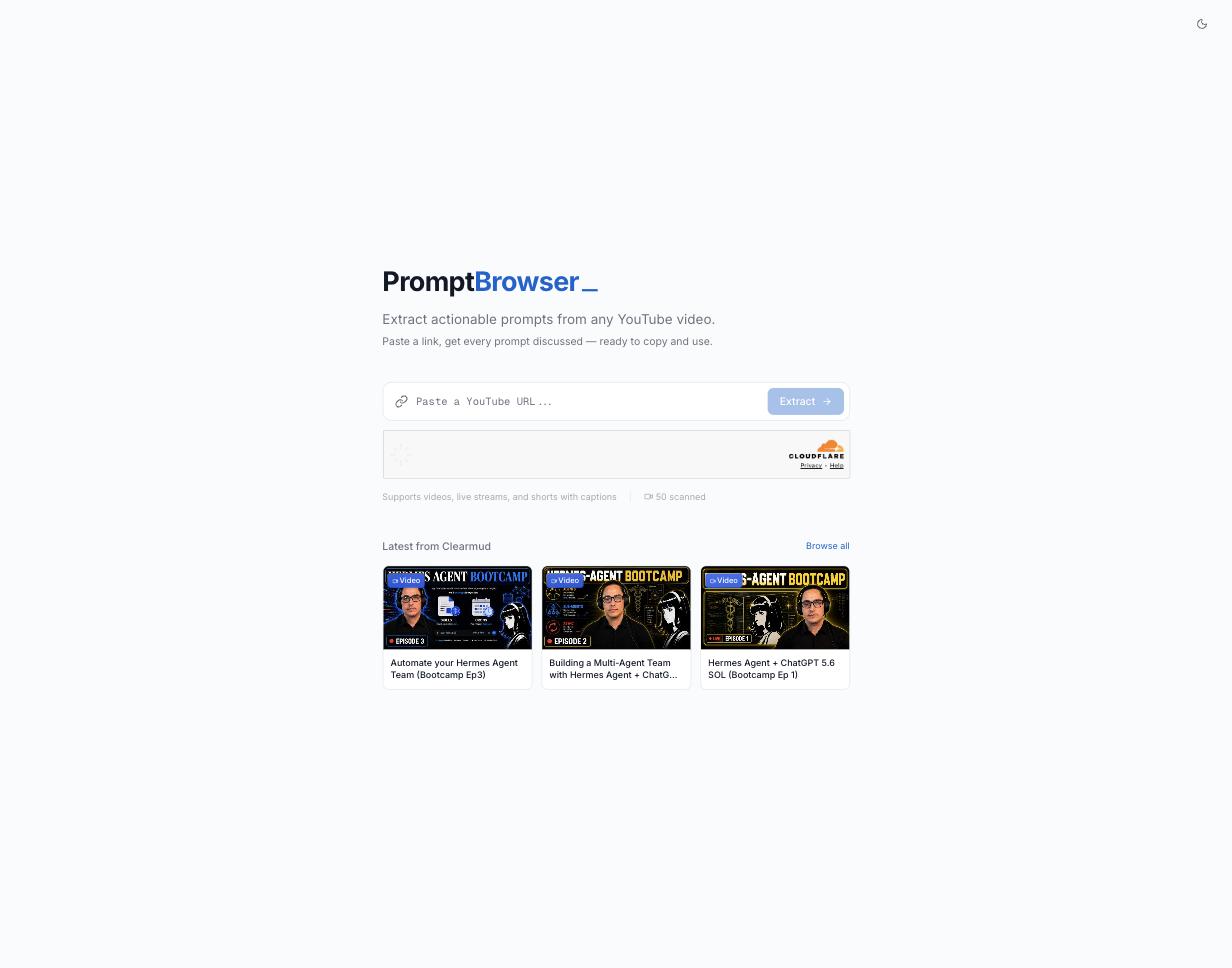
PromptBrowser is a free web app that turns any YouTube video into copy-ready AI prompts. Paste a video URL, and it reads the transcript, finds every prompt discussed, and hands them to you as clean, structured text, ready to paste into ChatGPT, Claude, OpenClaw, or wherever you work.
Watching vs. Using
Watching a tutorial: you understand what a prompt does.
Using PromptBrowser: you actually have the prompt, exactly as discussed, ten seconds later.
How It Works
There are exactly three steps, and none of them involve creating an account:
- 1. Paste a YouTube URL. Regular videos, livestreams, and shorts all work, anything with captions.
- 2. Extract. PromptBrowser pulls the transcript and identifies every prompt the creator discussed, including the context around it.
- 3. Copy and use. Each prompt comes out as clean text you can paste straight into your AI tool of choice.
It works with your favorite AI creators: any channel, any video with captions. And if you don't have a specific video in mind, you can browse the prompt library extracted from Clearmud's own tutorials, which is loaded by default.
Ways People Use It
📺 Following along with tutorials
Watch the video for understanding, then grab every prompt from it in one pass instead of pausing and retyping.
🗂️ Building a personal prompt library
Run your favorite creators' videos through PromptBrowser and save the best prompts into your own collection: a searchable archive of techniques instead of a "watch later" playlist you'll never revisit.
⚡ Evaluating videos before committing
Not sure if a 45-minute video is worth your time? Extract its prompts first. If the prompts look valuable, the video probably is too.
Get Started
PromptBrowser is free and takes about ten seconds to try: go to promptbrowser.net, paste any YouTube URL from a creator you learn from, and hit Extract.
It's one of the tools we build, use, and ship at Clearmud, born from our own frustration of sharing prompts in videos and watching people struggle to copy them. If you have feedback or a feature request, reach out. We ship fast.